Introduction
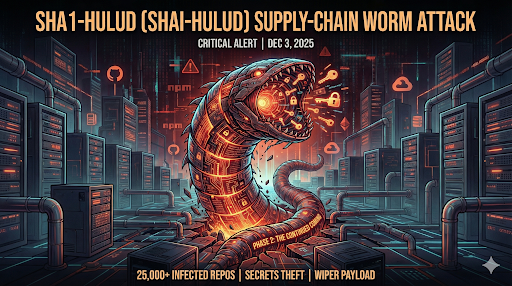
Sha1-Hulud is a major malware campaign targeting the JavaScript ecosystem. It abuses npm packages to infiltrate developer systems, CI pipelines, GitHub accounts, cloud accounts, and more. It is one of the largest supply-chain attacks ever recorded — with 25,000+ infected GitHub repositories, 500+ spoofed packages, and 100M+ downloads affected. This report explains what happened, who is impacted, how the malware works, and what you must do right now.
What Is Sha1-Hulud? (Also "Shai-Hulud")
Sha1-Hulud is an npm supply-chain worm. It spreads through trojanized npm packages published under:
- Zapier
- Postman
- ENS Domains
- PostHog
- Other trusted package namespaces
Once a victim installs one infected package, the worm:
1. Runs a hidden installer ( setup_bun.js )
2. Downloads the Bun runtime
3. Executes a huge obfuscated payload
4. Searches for secrets (GitHub, AWS, Azure, npm tokens, etc.)
5. Uploads them to GitHub repositories created by the attacker
6. Registers malicious GitHub Actions runners for persistence
Contains a 'Dead Man's Switch' code that wipes out the source machine's disk without backup options
The "Second Phase" Sha1-Hulud: The Continued Coming
A newly confirmed second phase of the Sha1-Hulud campaign has begun, named "The Continued Coming." This wave reuses credentials stolen during Phase 1 to launch new attacks:
What's new in Phase 2?
Private GitHub repos were made public using previously stolen credentials.Only one company was targeted so far, but it signals broader activity.Attackers are returning to earlier victims using data captured in Phase 1.Cross-victim exfiltration remains active, making detection extremely difficult
Important Observations from Researchers
Critical Note: Despite the high failure rate, thousands of real, active secrets were still successfully stolen. However, thousands of real, critical secrets are still present.
Technical Deep Dive - How the Worm Works
A. The npm Infection Path
The malicious packages include a small loader script (looks harmless). That script installs Bun that executes a massive obfuscated payload. This enables the worm to bypass normal npm security scanning.
B. What the worm does after infection
Scans filesystem + environment variables->Searches CI logs->Dumps secrets into .json files->Pushes them to GitHub->Registers a GitHub runner named SHA1HULUD->Adds backdoor workflow files ( discussion.yaml )->Tries to wipe the home directory if blocked
Who Is Affected?
You are likely affected if:
✔ Your org uses npm
✔ You use CI/CD pipelines
✔ Your project depends on packages maintained by Zapier, Postman, ENS, PostHog, etc.
✔ Anyone on your team ran npm install recently
Impact Summary
25,000+ GitHub repos infected
400+ victim organizations
500+ spoofed npm packages
100M+ monthly downloads impacted packages
~1,000 new worm-generated repos every 30 minutes during peak spread
The Threat Is Real — Active Exploitation
Sha1-Hulud is not theoretical. It is actively spreading.
~1,000 NEW worm-created repos every 30 minutes
Thousands of leaked secrets across hundreds of companies
Private repos made public in Phase 2
Thousands of GitHub, AWS, Azure, npm tokens still valid
Contains a destructive wiper
Hard to detect due to cross-victim exfiltration
Indicators of Compromise (IoCs)
A. File and Folder IoCs
Look for:
setup_bun.js
bun_environment.js
cloud.json
environment.json
contents.json
truffleSecrets.json
.github/workflows/discussion.yaml
B. GitHub IoCs
Search your entire org for repos named:
"Shai-Hulud"
"Sha1-Hulud"
"The Second Coming"
"The Continued Coming"
C. Unauthorized GitHub Actions runners:
SHA1HULUD
D. Repos created on your behalf you didn't authorize
RAPID RESPONSE CHECKLIST
1. Rotate every secret: Everything that lived on any machine that ran npm install - GitHub tokens, Cloud keys, CI secrets, npm publish tokens, Environment variables
2. Search your entire GitHub org: Look for repos containing - Shai-Hulud, Sha1-Hulud, Second Coming, Continued Coming
3. Install packages safely
Run: _CODEBLOCK0_ or set: _CODEBLOCK1_ This blocks malware execution.
4. Pin dependencies
Use exact versions: _CODEBLOCK2_ Not: _CODEBLOCK3_
5. Enable MFA everywhere: GitHub,npm, Cloud accounts. With backup codes.
6. Scan the entire supply chain
Recommended tools: Wiz, Socket, Phylum, Aikido Security, Semgrep
7. Look for signs of the wiper
Any script or process attempting to delete _CODEBLOCK4_ or suspicious recursive deletes.
Mitigation & Remediation (Simple Explanation)
1. Remove all infected package versions or revert to previous major version7
2. Clear local and CI npm caches
3. Reinstall clean packages with lifecycle scripts disabled
4. Rotate all secrets
5. Delete malicious repos, workflows, and runners
6. Patch Node.js and all developer tools
7. Rebuild CI runners from scratch (recommended)
Conclusion
Sha1-Hulud is the most widespread npm worm ever seen. It abuses trust in open-source packages,spreads automatically, steals secrets, sets backdoors, and may even wipe systems. With the new “Continued Coming” phase, attackers are already reusing stolen credentials for new breaches. But with the right response dependency pinning, MFA, package scanning, and key rotation organizations can stop this worm and prevent future attacks.